macOS and OS X, Linux, Solaris Expertise
Apple macOS and OS X Consulting Help:
Expertise for Virtual PC on Apple Macs
Organizations commonly rely on software applications designed to run exclusively on Windows. For companies that have a mix of Apple Mac and Windows computers, there are two popular alternatives for running Microsoft Windows-only applications on macOS or OS X: an external connection to an actual Windows computer or local simulation of a Windows environment on a Mac computer. Microsoft's Remote Desktop Connection for Apple Mac allows you to connect a Mac to a networked Microsoft Windows-based PC to run Microsoft Windows software and access network resources. Remote Desktop Connection Client for Mac is a component of Office for Mac and features significant enhancements over older versions. Microsoft's Virtual PC for Mac emulates Windows on a Mac computer so you are able to use Microsoft Windows software directly. Microsoft's Virtual PC for Apple Mac was available in high-end editions of Microsoft Office 2004 for Mac but is not offered in the current versions of Microsoft Office for Mac. VMware Fusion allows you to run Windows as well as most other operating systems on a Mac.
Progent's macOS and OS X support experts can help your business to maintain these products for using Windows programs on your Macs and can also assist your company to assess and configure other products for Windows PC emulation.
Microsoft's Remote Desktop Connection for Mac
 Remote Desktop Connection Client for Mac enables you to attach your Mac to a Microsoft Windows-powered system to execute Microsoft Windows applications, exchange files, and utilize system resources. You can transfer documents between your Mac and your Microsoft Windows-based system and output from Microsoft Windows programs to any printers attached to your Apple Mac.
Desktop simulation requires comparatively modest CPU power from the client Apple Mac and therefore in most scenarios provides better performance than processor emulation. To attach to a remote Microsoft Windows-powered computer, you need network access and permissions to attach to the Windows computer. The Windows machine must be running either Terminal Services or Remote Desktop. MS Remote Desktop Connection Client for Mac is available as a no-cost download or as a component of Microsoft Office for Mac 2011 and works with Windows Server 2008, Windows Server 2003, XP Professional, and Windows 2000.
Microsoft Remote Desktop Connection for Mac version 2 provides enhanced features that include:
- A user interface and options bar that makes the attachment window simpler to operate
- Remote Desktop Protocol version 6.0 for faster performance and Windows Vista and Windows 7 compatibility
- Multiple session support for managing sessions with multiple remote computers
- Automatic reconnection for resuming a session if you lose the network connection
- Window sizing options for running the remote connection as a full screen or in a resizable window
- Apple Mac printing compatibility for printing Microsoft Windows files on a Mac-attached printer
- Network Level Authentication (NLA) for enhanced protection when attaching to Windows Vista and Windows 7 PCs
- Improved screen resolution to accommodate wide-screen displays
- Faster login options for enhanced productivity
Virtual PC for Mac
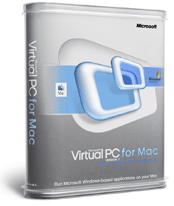
 Virtual PC for Mac simulates an Intel-class processor and converts a Mac into the equivalent of Microsoft Windows machine that permits you to access Windows PC software, documents, and network appliances. Processor emulation is CPU intensive on the local Mac and loses some speed in exchange for convenience, versatility, and a more complete array of capabilities. Microsoft's Virtual PC 7 for Mac works with the Apple Mac G5 processor and Apple Mac OS X 10.3 (Panther) and was provided with the advanced version of MS Office 2004 for Apple Mac.
Important features of Virtual PC 7 for Mac include:
- Sharing of Folders and Removable Media enables folder and media exchange between Microsoft Windows and Apple Mac applications and permits storing files in a folder on an Apple Mac and retrieving them from within Windows
- Access to Mac and Windows PC Appliances makes it possible to access to a variety of Microsoft Windows PC and Mac peripherals such as printers and removable drives, even ones made specifically to be run on a Windows system
- Cross-OS Copy and Paste allows Virtual PC version 7 and a Mac program to share a common clipboard for copying and pasting between Windows and Mac environments
- A Quick Save feature permits users to shut down a virtual PC in a single step and resume from that point
- Zero Configuration Printing for Panther users (Mac OS X 10.3) does away with the need to download special printer drivers. You can click Print and utilize the identical output functionality and software drivers utilized by the Apple Mac OS.
How Progent's macOS and OS X Consultants Can Assist Your Company to Run Windows Software on Apple Macs
Progent's Microsoft-expert consultants and Mac technology experts can assist your organization to select and configure appropriate applications to enable your Mac users to run Windows software. In addition, Progent can assist your organization to incorporate your Apple Macs efficiently into your network environment to enhance stability, throughput, and security and to maximize business value. Progent can also deliver Mac OS X and Exchange Consulting as well as macOS and OS X Education.
Contact Progent to Find Expertise for Running Microsoft Windows Software on Macs
If your organization is looking for a macOS or OS X specialist, phone Progent at
Progent's Expertise for UNIX-family Environments
Progent's UNIX-family support services provide small companies and developers help with managing and maintaining UNIX/Linux/Mac-based systems that can operate alongside Microsoft-based technology. Progent provides your business access to UNIX support experts, certified Microsoft consultants, Cisco-certified CCIEs, and security experts accredited by CISSP and CISM. This broad array of expertise gives your company a convenient one-stop source to help your business to create and maintain a secure and robust cross-platform connectivity and communications solution that blends Microsoft Windows with leading versions of UNIX including:
Apple macOS and OS X ,
Sun Solaris,
IBM AIX Open UNIX,
HP-UX,
Berkeley UNIX (BSD),
SCO UNIX and
Silicon Graphics IRIX or major Linux distributions including
RedHat Linux,
SUSE Linux,
Debian-GNU and
CentOS,
Ubuntu Linux,
Mandriva Linux,
PCLlinuxOS Linux,
fedora Linux, and
Gentoo.